Workout assignment
Assign workouts and programs with absolute or percentage loads, RIR targets, notes, and client-specific context.
Online coaching software
Totality helps coaches assign workouts, review client history, collect forms, manage programs, and use strength analytics when adjusting training.
What it helps with
Assign workouts and programs with absolute or percentage loads, RIR targets, notes, and client-specific context.
Collect intake forms, check-ins, and meeting-related responses so coaching decisions stay attached to client feedback.
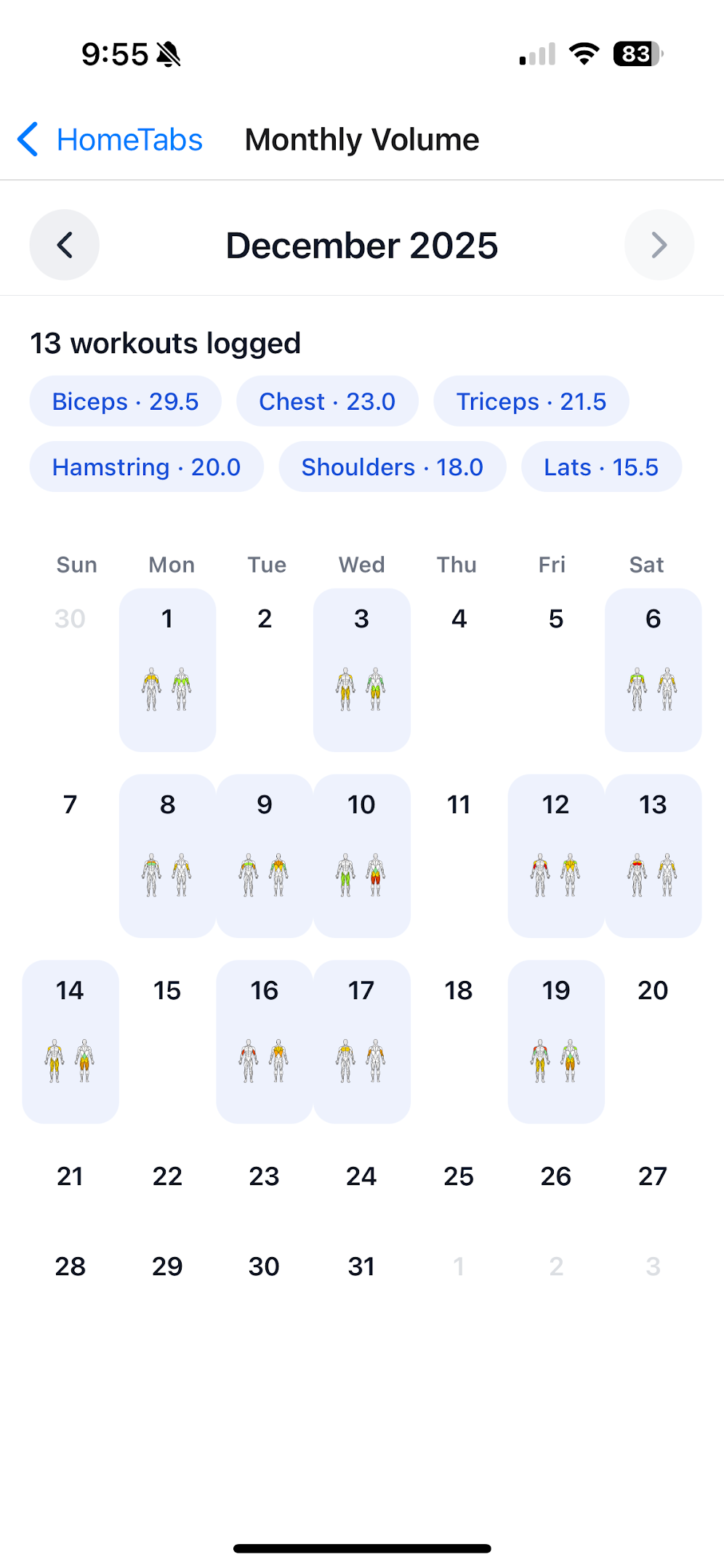
Review workout history, PR trends, estimated 1RM, volume, habits, and notes before making plan changes.
Buying flow
Coaches usually buy software after bouncing between two questions: what do I need, and can I trust this to make coaching easier? Use this path to move from problem to fit to a low-risk next step.
Trigger
If workouts, check-ins, notes, and performance history live in different places, the problem is no longer a template. It is decision context.
Explore
A student coach, online coach, and strength staff member may need the same loop: assign training, collect feedback, review history, and adjust.
Evaluate
Before choosing software, confirm it handles programming, percentage loading, RIR targets, forms, check-ins, and client history in one place.
Next step
College students should email for free access. Coaches who are ready can open the workspace and start building the coaching setup.
Choose your next move
College student
Best for student coaches, S&C interns, exercise science students, club sport leaders, and small student-led training groups. Email evanroebke@totalityworkoutapp.com with your school, role, and workflow.
Strength coach
Best when you need athlete programming, percentage loading, RIR targets, check-ins, PR context, estimated 1RM, and reviewable training history.
Ready to build
Best when you already know the first program, form, or client workflow you want to set up inside Totality.
| Question to answer | Buy or use Totality when... | Hold off when... |
|---|---|---|
| Do you only need a template? | You need to assign workouts and then review how athletes actually performed. | You only need to write one static plan and never collect training history. |
| Do you need feedback? | Forms, check-ins, and notes affect how you adjust load, volume, or exercise selection. | All coaching context already lives in a system your athletes reliably use. |
| Do you need strength context? | PRs, estimated 1RM, RIR, RPE, and volume influence your programming decisions. | Your coaching does not use logged workouts, progress data, or athlete-specific loading. |
Coaching platform
Start with the coaching page that matches your search, then move between strength and conditioning software, college student access, workout programming, forms, check-ins, and client history.
Strength coaching
Build and manage athlete training with workout assignment, percentage loading, RIR targets, PR context, and program history.
High schools
Motivate athletes, show proof of progress, and reduce programming friction for high school weight rooms.
College students
Totality is offered free for college students. Email evanroebke@totalityworkoutapp.com to discuss access.
Free starter kit
A practical guide and free starter resource for college students starting personal training and organizing early clients.
Programming
Assign workouts, manage programs, use percentage or absolute loads, and keep planned training connected to athlete history.
Feedback
Collect intake forms, check-ins, and meeting notes so training decisions stay attached to athlete feedback.
Review
Review workout history, PR trends, estimated 1RM, volume, habits, notes, and form responses before adjusting programs.
Forms and check-ins
Coaches need more than completed sets. Totality includes forms and check-ins so intake responses, readiness notes, meeting context, and follow-up questions can stay close to workout history and program decisions.
Collect background, goals, constraints, equipment, and training history before assigning the first block.
Review athlete feedback beside recent workouts, notes, PR trends, estimated 1RM, and volume.
Keep coaching conversations connected to the plan instead of scattered across messages and spreadsheets.
Client history
Totality keeps workout assignments connected to completed training, PRs, estimated 1RM, RIR, RPE, muscle volume, habits, notes, and form responses. That gives coaches a cleaner view before changing load, volume, exercise selection, or recovery expectations.
Decision signals
| Need | Why it matters | How Totality handles it |
|---|---|---|
| Programming context | Coaches need to know not only what was assigned, but how the client performed and recovered. | Connects assigned workouts with history, forms, notes, analytics, and calendar context. |
| Client-specific loading | The same percentage or RIR target means different loads for different athletes. | Supports client-aware percentage work and expected strength values. |
| Simple operations | Coaching software needs to reduce admin work, not create another spreadsheet. | Keeps programs, planned workouts, forms, and client review in one workspace. |
FAQ
Yes. Coaches can build and assign workouts, use program workflows, add notes, and review client training history.
Yes. Totality includes coach forms and check-ins so client feedback can be reviewed alongside training.
Totality is best for strength coaches who care about workout history, PRs, RIR, RPE, estimated 1RM, volume, and client-specific programming context.
Related reading
Strength coaching
For coaches who assign training, monitor athletes, use percentage loading, and need performance context beyond a spreadsheet.
College coaching
Totality is offered free for college students. Student coaches, S&C interns, exercise science students, and club sport leaders can email evanroebke@totalityworkoutapp.com to discuss access.
Coaching workflow
How to choose software for assigning workouts, percentage loading, RIR targets, athlete history, forms, check-ins, and program management.